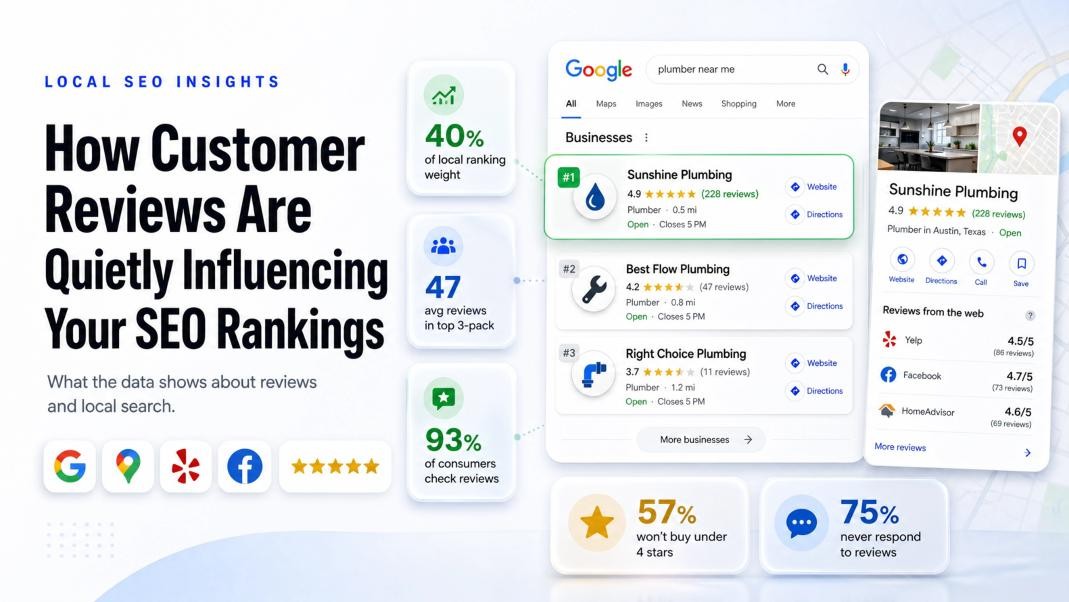
What the data shows about reviews and local search, plus a few things worth fixing this month.
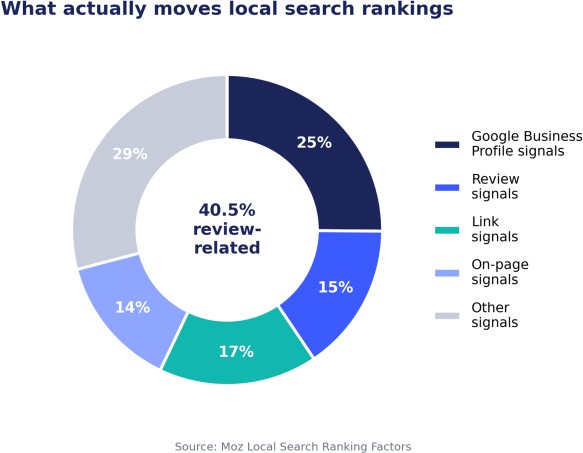
Google handles somewhere around 1.2 trillion searches a year, and 93% of consumers check reviews before deciding who to buy from. Google’s ranking algorithm follows that same pattern. Reviews and your Google Business Profile together make up close to 40% of what determines a local ranking. That single category carries more weight than links, on-page content, or anything else Google measures.
A quick example
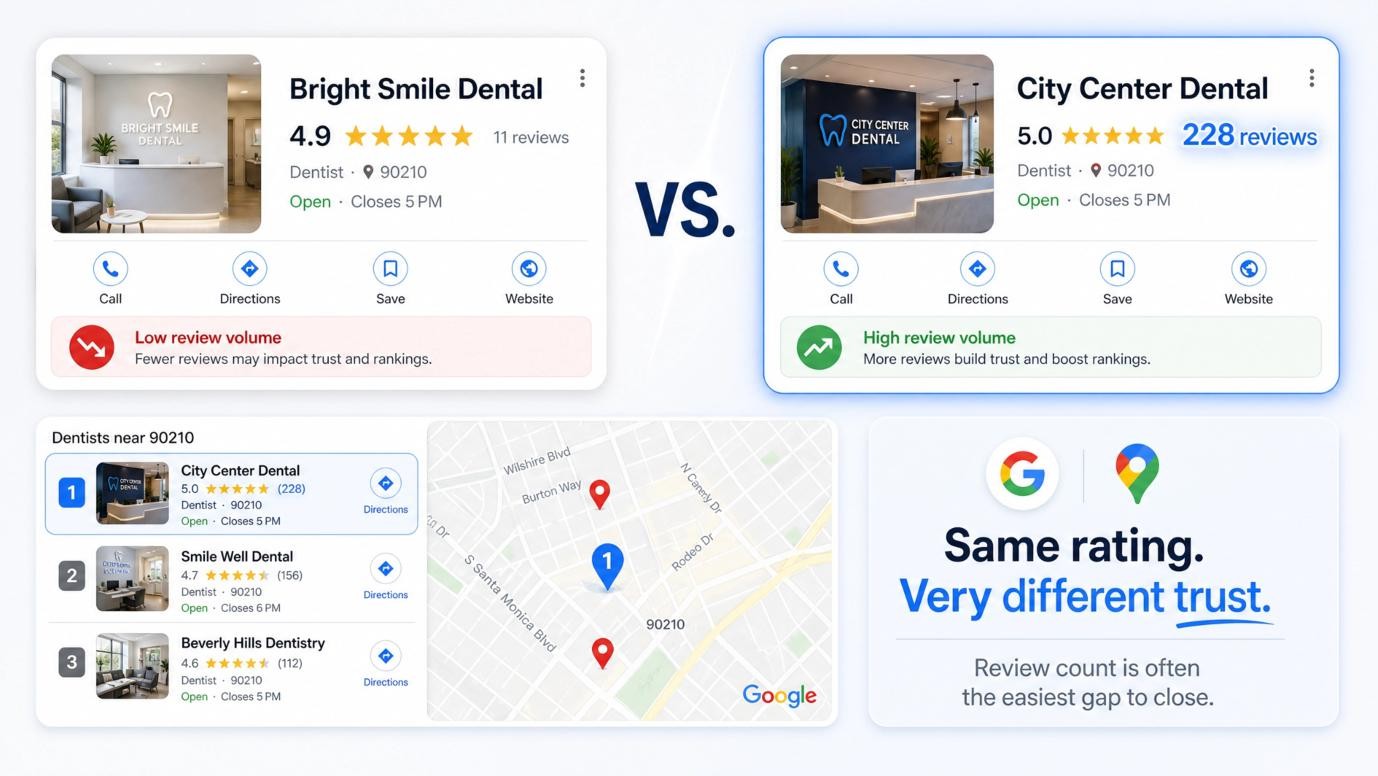
Picture two dentists in the same zip code. Both are rated 4.9 or 5.0 stars. One has 11 reviews, the other has 228. Searchers, and Google, put more trust in the second one even though the average rating is almost identical. That gap between similar ratings and different review counts is exactly what shows up in the map pack rankings, and it’s usually the easiest thing on this list to fix.
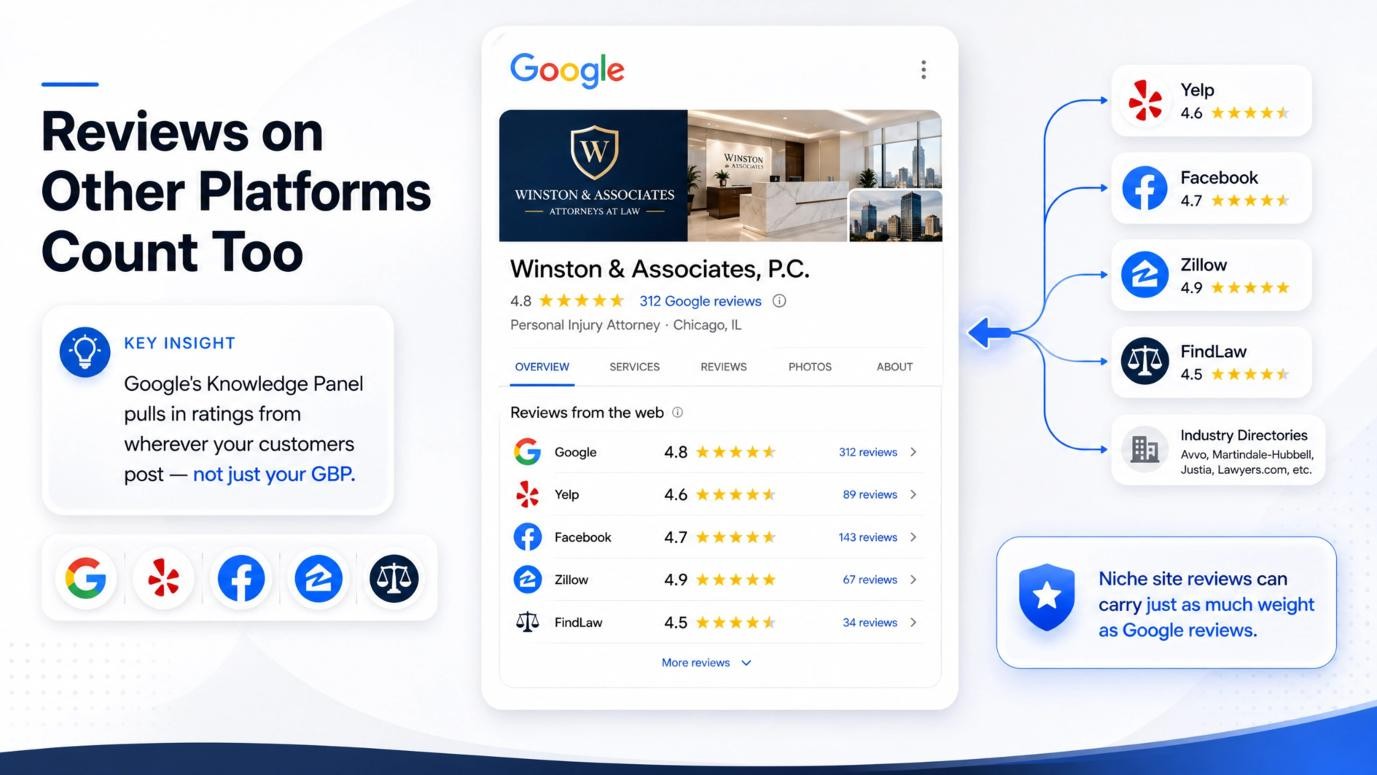
Reviews on other platforms count too
Google doesn’t only look at its own reviews. Yelp, Facebook, and industry-specific directories like Zillow or FindLaw all feed into how your business gets evaluated. Google’s Knowledge Panel now pulls in “reviews from the web,” meaning ratings from wherever your customers are actually posting, not just from your Google Business Profile. If people in your industry tend to check a niche site before booking, reviews there can carry just as much weight as the ones sitting on Google.
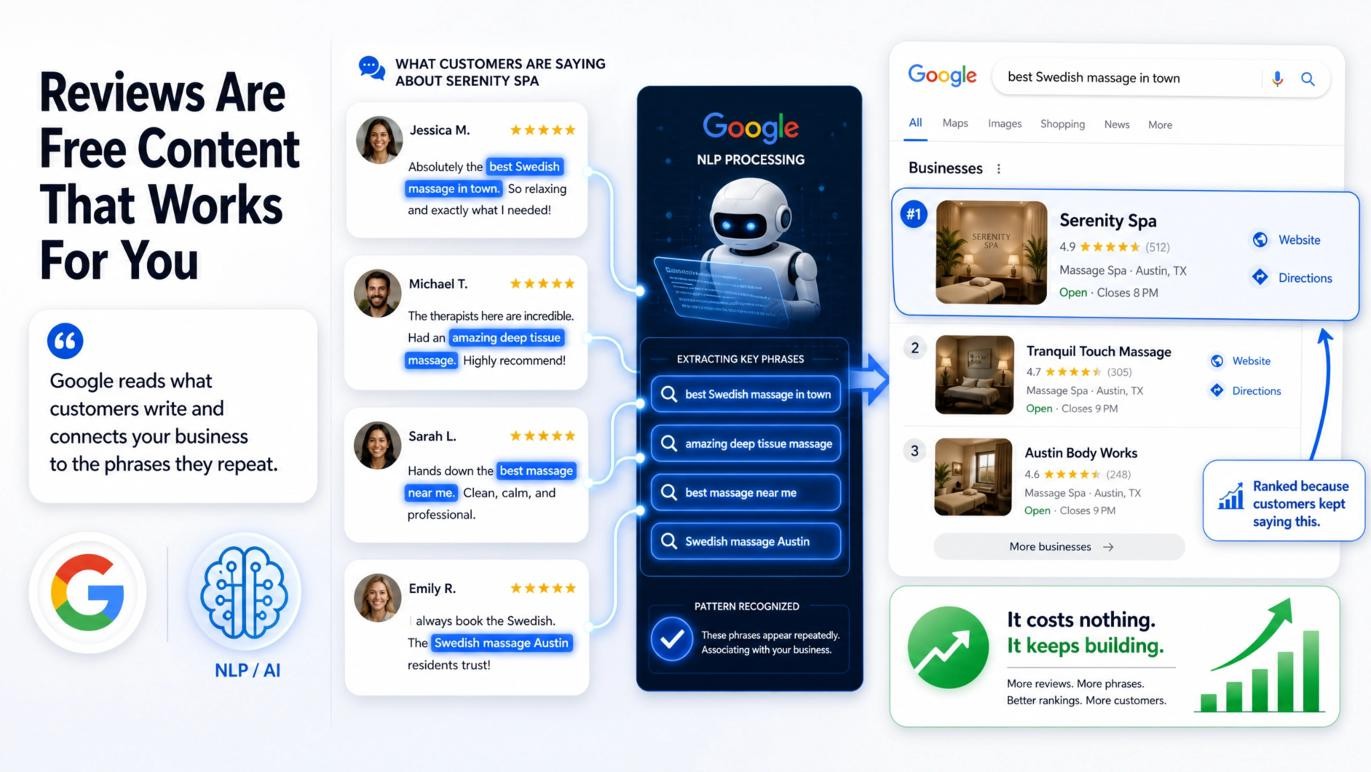
Reviews are free content that talks about your business
Google uses natural language processing to read what people actually write in a review. When customers keep mentioning the same thing, a specific service, a specific fix, a specific product, Google starts connecting your business to that phrase. Enough people write “best Swedish massage in town” and Google starts showing your spa for that exact search. It costs nothing, and it keeps building as long as reviews keep coming in.
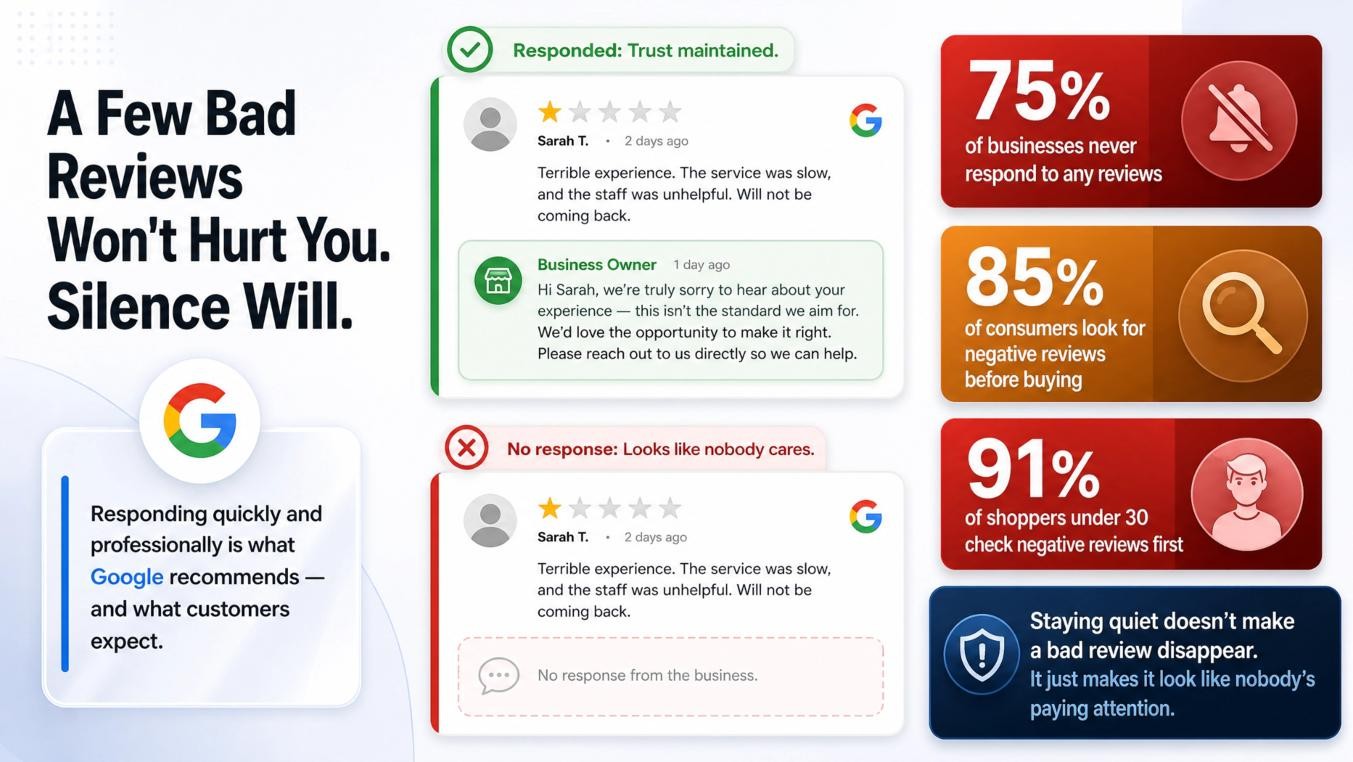
A few bad reviews won’t hurt you. Silence will.
Negative reviews happen to every business. Google knows this, and a handful of them won’t tank your ranking as long as you respond quickly and handle them professionally. Google actually recommends replying to both positive and negative feedback. The real problem is that 75% of businesses never respond to any of their reviews at all. Meanwhile 85% of consumers specifically look for negative reviews before they buy, and that number climbs to 91% for shoppers under 30. Staying quiet doesn’t make a bad review disappear. It just makes it look like nobody’s paying attention.
What your AgencyPlatform dashboard already handles
- Review monitoring and management. Every review from Google, Yelp, Facebook, and the rest of your listings lands in one inbox, so nothing slips through.
- Response generation. Replies that read like they came from an actual person on your team, not a template that Google or a customer could flag as automated.
- Review-generating surveys. Short post-visit surveys that point happy customers toward Google, Yelp, and Facebook right when they’re most likely to leave a good one.
Three things worth doing this month
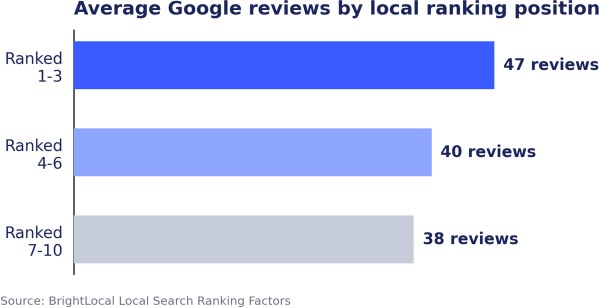
- Check how your review count compares to the businesses ranked above you in the map pack.
- Respond to every open review from the last 90 days, starting with the negative ones.
- Turn on post-visit surveys for at least one location and see what comes back in two weeks.
Want to see where your review footprint stands right now? Log in to your AgencyPlatform dashboard, or just reply to this email and we’ll walk you through it.
Google Search Console Now Tracks Your Social & Video Content
See exactly how your Instagram, TikTok, X, and YouTube posts show up in Google Search and Discover.
Your audience does not live on your website alone anymore. They find you on social feeds, short-form video, and search results. Until now, though, there was no single place to see how all of that content actually performed on Google. That has changed. Google has rolled out a new Search Console feature called platform properties, and it gives brands and creators one consolidated view of how their social and video posts get discovered on Google Search and Discover.
Here is the part worth noting. According to Google, this works even if you do not have your own website. If your presence lives mainly on social platforms, you can now see the search terms and the behavior that bring people to your content.
What You Can Now See
Inside Search Console, you can create a platform property for Instagram, TikTok, X, or YouTube and access three reports:
- Performance report. See your total clicks, impressions, and other metrics. Filter and sort to find out which posts and search queries drive the most traffic, and export the data if you prefer to work in your own tools.
- Insights report. Get a high-level view of your recent traffic trends, your top-performing posts, and how people are discovering your account on Google.
- Achievements. Track your growth and mark milestones, like passing a new threshold for total clicks from Google Search over the last 28 days.
How to Set It Up
- Open Google Search Console.
- Go to the verification page, or open the property selector drop-down and click “Add property”.
- Select one of the four platforms: Instagram, TikTok, X, or YouTube.
- Follow the on-screen steps to securely authorize the connection.
Why This Matters for Your Brand
This closes a blind spot that has been around for years. You can finally connect what you post on social with what people are actually searching for, which turns a lot of guesswork into real data. Use it to lean into the posts and topics that are already earning search visibility, see which platforms genuinely drive discovery, and show how social contributes to your wider search presence.
Rolling out now: Platform properties are becoming available gradually over the coming weeks. If you do not see the option yet, check back soon. It is worth setting up early so you start building your data history sooner.