
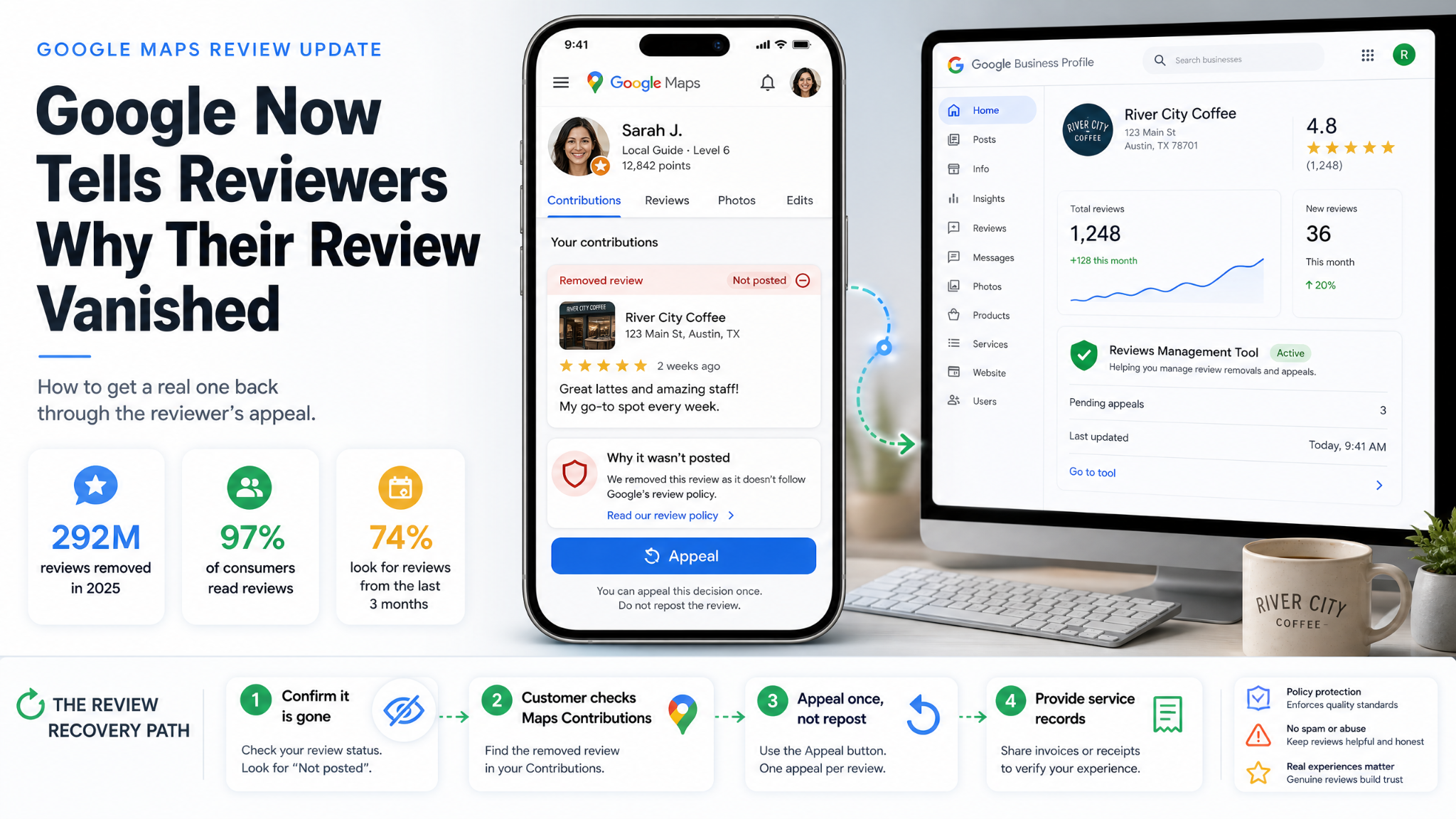
If your review count dropped overnight and nobody told you why, you are not imagining it. Google blocked or removed 292 million policy-violating reviews across Maps and Business Profiles in 2025, up 21% on 2024, while publishing around a billion legitimate ones. At that scale, honest reviews get caught in the net.
Here is the shift worth knowing about: the person who wrote the review can find out why it went missing. Google’s Maps content policy documentation now spells out that when a contribution is removed or rejected, the contributor is typically shown three things: which contribution was affected, the reason it was pulled, and what they can do next. The review does not vanish from their account. It sits in their Maps profile flagged with a status such as “Not posted” or “Not accepted.”
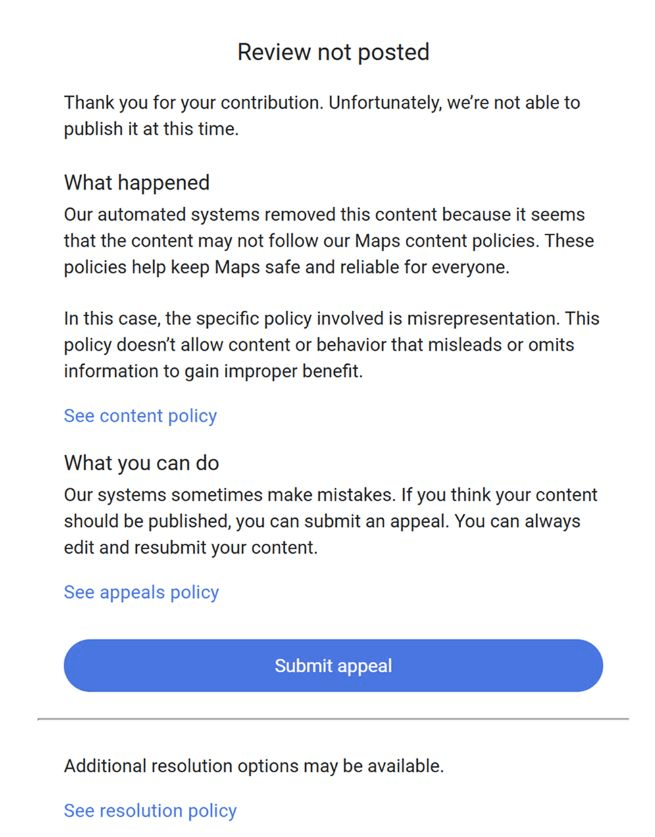
What the reviewer sees now: the named policy, plus an appeal button. Screenshot: Google Maps.
That matters because your customer, not you, holds the strongest lever for getting a genuine review reinstated.
Why real reviews get pulled
None of these require you to have done anything wrong:
- The reviewer’s account got restricted for unrelated activity, which can take their entire review history with it.
- A cluster of reviews landed in a short window (a tablet at your counter, an event, a review push), which reads as coordinated to spam filters.
- The text names a staff member or reads like it was scripted. Google’s April 2026 policy update explicitly banned staff review quotas and telling reviewers what to include.
- Someone reported it and an automated pass agreed.
Before you panic: not every disappearance is a removal. Google’s Business Profile API has had display and count discrepancies through 2026, so check your live profile in a private browsing window first.
The recovery playbook
- Confirm it is actually gone. View the profile logged out and compare against your last export or screenshot.
- Ask the customer to look. In Google Maps: tap their profile photo, then Contributions, then Reviews. A removed review shows the stated reason and, where eligible, an appeal option.
- Have them appeal, not repost. Each removal can only be appealed once, and editing or deleting the review after filing cancels the appeal outright. Reposting the same wording usually trips the same filter.
- Work your own channel in parallel. The Reviews Management Tool shows the status of reports on your profile and allows one escalation if a decision went the wrong way. Evaluations typically take several days.
- Have the paperwork ready. Service dates, invoice numbers and appointment records are what turn “this was a real customer” into something a human reviewer can act on.
Do not make it worse
Pressuring a customer to repost, offering anything in exchange, or leaning on a reviewer is now federal exposure, not just a Google problem. The FTC’s Consumer Reviews and Testimonials Rule, in force since October 2024, covers review suppression, including intimidation and unfounded legal threats, with knowing violations carrying civil penalties of roughly $53,000 apiece. The Commission sent warning letters to nearly a dozen companies in December 2025.
Drop review gating too. Asking only your happy customers is prohibited, and the pattern it produces (a flawless wall of five stars with no variation) is exactly what triggers the filters costing you reviews in the first place.
The steadier fix
Recency is doing more work than volume right now. In BrightLocal’s February 2026 survey of 1,002 US consumers, 97% said they read reviews for local businesses and 74% look specifically for ones written in the last three months. A profile earning a few reviews every week absorbs a removal wave without anyone noticing. A profile that collected 80 reviews in a single campaign two years ago does not.
So ask every customer, not just the delighted ones. Ask after they have left rather than at the counter. Let them use their own words. And keep a monthly export of your reviews, so the next time the number moves you know exactly which one went missing and whose inbox to reach for.